Automate Business Workflows with n8n No-Code
Automation, No-Code, Small Business, Agencies
n8n Workflow Automation: Build Powerful Business Automations Without Code
If your team is still copying data between tools, forwarding emails manually, or rebuilding the same reports every week, you are leaving time and money on the table. With n8n, you can turn those repetitive tasks into automated workflows—without writing a single line of code.
What Is n8n?
n8n is a workflow automation platform that lets you connect your apps, move data between them, and build powerful automations through a visual interface. Think of it as a flexible “glue” that sits between your CRM, email marketing, spreadsheets, project tools, and more—coordinating the tasks you currently do by hand.
Unlike rigid, one-size-fits-all automation tools, n8n is designed to be highly customizable. It supports hundreds of popular services (including Google Workspace, Slack, HubSpot, Notion, and many more) and allows you to combine them into workflows that match your unique business processes. You can run n8n in the cloud or self-host it, giving businesses and agencies control over their data and infrastructure.
No-Code Workflow Building: Automation Without Developers
With n8n, you do not need to be a developer to create automations. Workflows are built visually using “nodes,” each representing a step in your process: receiving data, transforming it, or sending it somewhere else. You drag and drop nodes onto a canvas, connect them with arrows, and configure each step using simple forms and dropdowns.
For example, you can build a workflow that:
Listens for a new form submission on your website,
Automatically adds the contact to your CRM,
Sends a personalized welcome email, and
Notifies your sales team in Slack with key details.
All of this can be done through the interface—no scripts, no APIs to memorize, and no waiting in line for developer time. That makes automation accessible to operations managers, marketers, agency account leads, and founders who understand the process but may not know how to code.
Real-World Use Cases for Small Businesses and Agencies
Small businesses and agencies are often stretched thin. n8n helps by handling the repetitive, manual work that quietly consumes hours every week. Here are a few practical use cases:
Lead capture and qualification: Automatically route new leads from website forms, ads, or chatbots into your CRM, enrich them with data from other tools, and assign follow-up tasks to your team.
Client onboarding: When a new client signs, trigger a workflow that creates folders, project boards, kickoff checklists, and welcome emails across your tools in seconds.
Reporting and dashboards: Pull data from multiple platforms—ad accounts, email tools, CRM, finance software—into a single spreadsheet or dashboard on a schedule, with no manual exports.
Support and ticketing: Sync contact details and ticket updates between your helpdesk and CRM so sales and account managers always see the latest context.
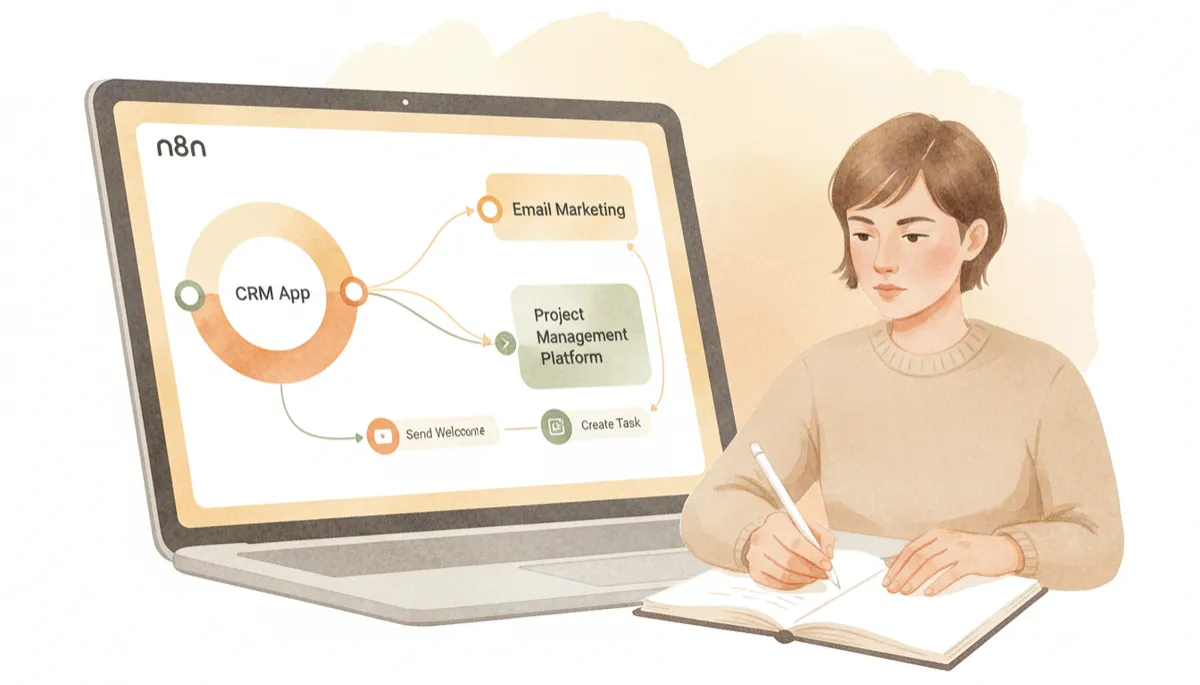
Agencies use n8n to standardize client workflows while keeping them fully customizable.
Connecting Your Apps Into One Cohesive System
Most businesses run on a patchwork of tools: maybe you use Google Sheets for numbers, HubSpot or Pipedrive for sales, ClickUp or Asana for projects, and MailerLite or Klaviyo for email. Each tool is good at what it does, but they rarely talk to each other well by default. That is where n8n shines.
n8n connects these apps through prebuilt integrations and standard APIs. When something happens in one tool—a new deal, a payment, a form submission—it can instantly trigger actions in others. Over time, you build a connected ecosystem where data flows automatically, and information is always up to date, no matter which app your team is looking at.
The Time Savings and ROI of Automation
Even simple automations add up to significant time savings. Consider a common scenario: a team member spends 10 minutes after every sales call updating the CRM, sending a follow-up email, and creating a task. If they do this 5 times a day, that is almost an hour of repetitive admin daily—over 20 hours a month.
With n8n, those steps can be triggered automatically from a single action, such as moving a deal to a new stage. Multiply that by multiple processes, multiple team members, and multiple clients, and the return on your automation investment becomes obvious: more time for strategy, creativity, and high-value client work, and less time on copy-paste tasks that drain energy and introduce errors.
📌 Key Takeaway: If a task is repeatable and rule-based, there is a strong chance n8n can automate it and give your team that time back.
Ready to Explore n8n? Book a Free Business Automation Audit
Knowing that automation is powerful is one thing; deciding where to start is another. That is why we offer a Free Business Automation Audit specifically for businesses and agencies that want to understand how tools like n8n can streamline their operations.
During this audit, we will:
Review your current tech stack and day-to-day processes,
Identify quick-win automations that could save hours each week, and
Outline a simple roadmap for implementing n8n workflows tailored to your business or client services.
If you are ready to connect your apps, eliminate manual busywork, and build a more scalable operation, now is the perfect moment to explore what n8n can do for you. Book your Free Business Automation Audit today and discover how no-code workflows can transform the way your team works.
